up: Film Holders
recources:
- https://shootitwithfilm.com/what-are-newtons-rings-and-how-to-fix-them-when-scanning-film-negatives/
- http://www.betterscanning.com/scanning/models/v500.html
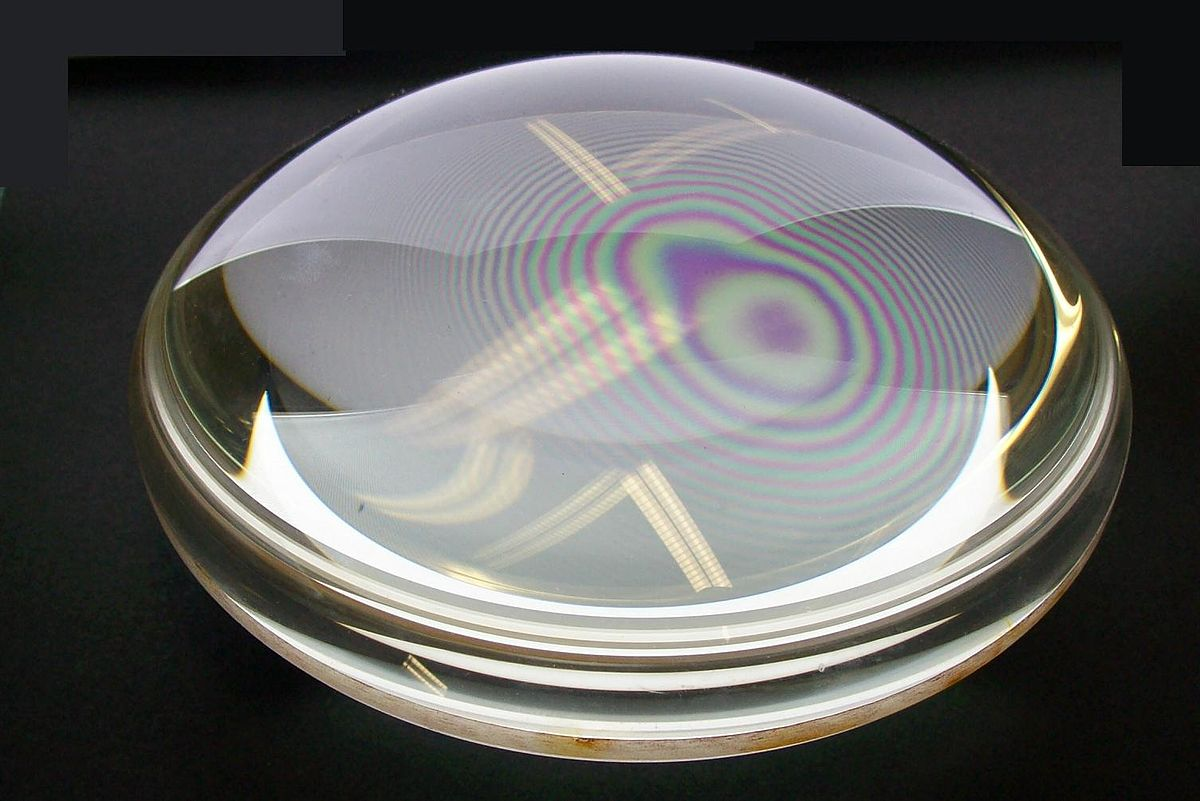
When film is sandwiched between smooth surfaces, especially when the emulsion side is in direct contact with the glass, Newton rings may appear. These are concentric rainbow-colored patterns caused by light interference between two very flat surfaces.
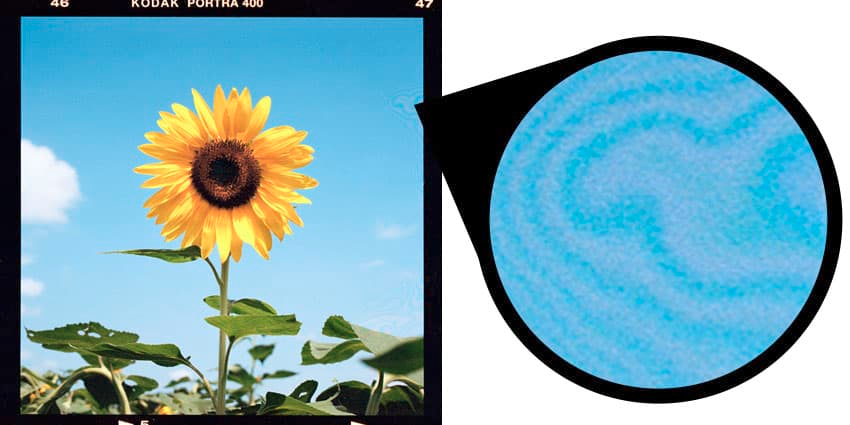
To prevent Newton rings:
- Place Emulsion Side Down: Scanning with the emulsion (dull) side of the film facing towards the smooth glass can reduce the occurrence of Newton's rings, as it prevents the shiny sides from touching each other. Note that this will reverse the image, so you'll need to flip it in your scanning software.
- Use Anti-Newton’s Ring (ANR) Glass: ANR glass has a textured side that, when placed against the shiny side of the film, minimizes interference. Ensure the textured side faces the film's shiny side, with the dull emulsion side facing the scanner glass.
- Use masks instead of glass or plastic if applicable
- If Newton's rings appear in your scans, you can remove them using photo editing software like Photoshop or Lightroom. Tools like the Healing Brush or Clone Stamp can effectively eliminate these artifacts.
While ANR glass is highly effective, it can be hard to source and is typically more expensive. I have bought a sheet of AN glass on AliExpres
Here are some film holders or attachments that make use of AN glass: