up: Scanner Lenses
August 30, 2020
source: https://www.closeuphotography.com/minolta-scan-dual-iv-scanner-lens-test
The Konica Minolta DiMAGE Scan Dual IV AF-3200 lens specs are nothing special, but this scanner is very easy to find on the used market for a reasonable price. It might be worth the effort to check the performance. The high performance Minolta Elite 5400 (AF5400) secret has been out for a long time and it’s priced to match. The AF5400 resolution spec is 5400 DPI but that number was marketing department creativity, turns out real-world number is closer to 4200 DPI when measured. On the other hand the AF3200 resolution of 3200 DPI is more or less accurate. The AF3200 scanner in “as-is” condition can be had for less than $50. With this kind of cost, it is just a small fraction of the price of the AF5400, this lens might actually be a smart buy. Can the AF3200 scanner lens be any good? It would be a sensational buy if it offered the same kind of correction as the AF5400, just with 24% or so less resolution.
DPI and PPI
DPI (dots per inch) refers to the output resolution of a printer, PPI (pixels per inch) refers to the input resolution of a photograph or image. Since scanner manufacturers specifications use DPI (I assume since the scanned files would be printed) I will stick with DPI for this post. Keep in mind that many resources use the terms DPI and PPI interchangeably.
Facts first: AF3200 lens
- 35mm f/5.8
- Optimized for 1.1 x
- Good from 1x to 1.4x
- Low dispersion glass
- Full frame coverage
- Reasonably priced and easy to find
AF3200 Lens Specs
Konica Minolta DiMAGE Scan Dual IV AF-3200 35mm Film Scanner Lens
- **Model: AF-3200
- Type:** 35mm film scanner lens 24.76 x 37.14 mm scan area
- Optical Resolution: Nominal 3200 dpi
- Focal length: 35mm
- Aperture: f/5.8 forward, f/6.3 in reverse
- Chromatic Correction: Excellent
- Mounting / Filter threads: None. A custom made RafCamera adapter is available online: https://rafcamera.com/adapter-14mm-id-to-rms-male
- Recommended Magnification range: Image quality is good from 1.1x to 1.4x. Corners fall off by 1.8x.
- Barrel OD: 14mm
- Barrel Length: 16.5mm
- Production: 2004
- Scanner street price in 1999: $240 USD
- Country of origin: Japan
- Scanner lens cost on the used market in 2020: Less than $50 for “parts only” or “as is” scanner.
PROS AND CONS
What I really like:
2020 budget pricing
Chromatic aberration correction is really good
Very easy to find on the used market
Short focal length means less extension
**What I can live with:
Rough industrial finish
Lack of mounting threads
**What I don’t like:
Slow maximum aperture
2500 Pixel Sample: AF3200 at 1 . 1 X
The AF3200 lens is clean and sharp, and free from chromatic aberrations at 1.1x. Click on the image below to open a full size 2500 pixel image in a new window, check the size of the image by looking at the URL, it should end in 2500. If its not change the number and hit enter. You can also right or two-finger click and open in a new tab or save-as to open in the image in another application.

Originally I tested the AF3200 lens against 3 other scanner lenses at 1.1x, but the other 3 lenses all fell apart in the corners. The AF3200 seems to perform best from 1.1x to 1.4x, but by 1.8x the corners are definitely soft.
1.4x scanner lens Test
Click on any of the images below to open a new larger window, you can also press the right button, or two finger press, and open in a new tab or choose ‘save as’ to view the images in another app of your choice.
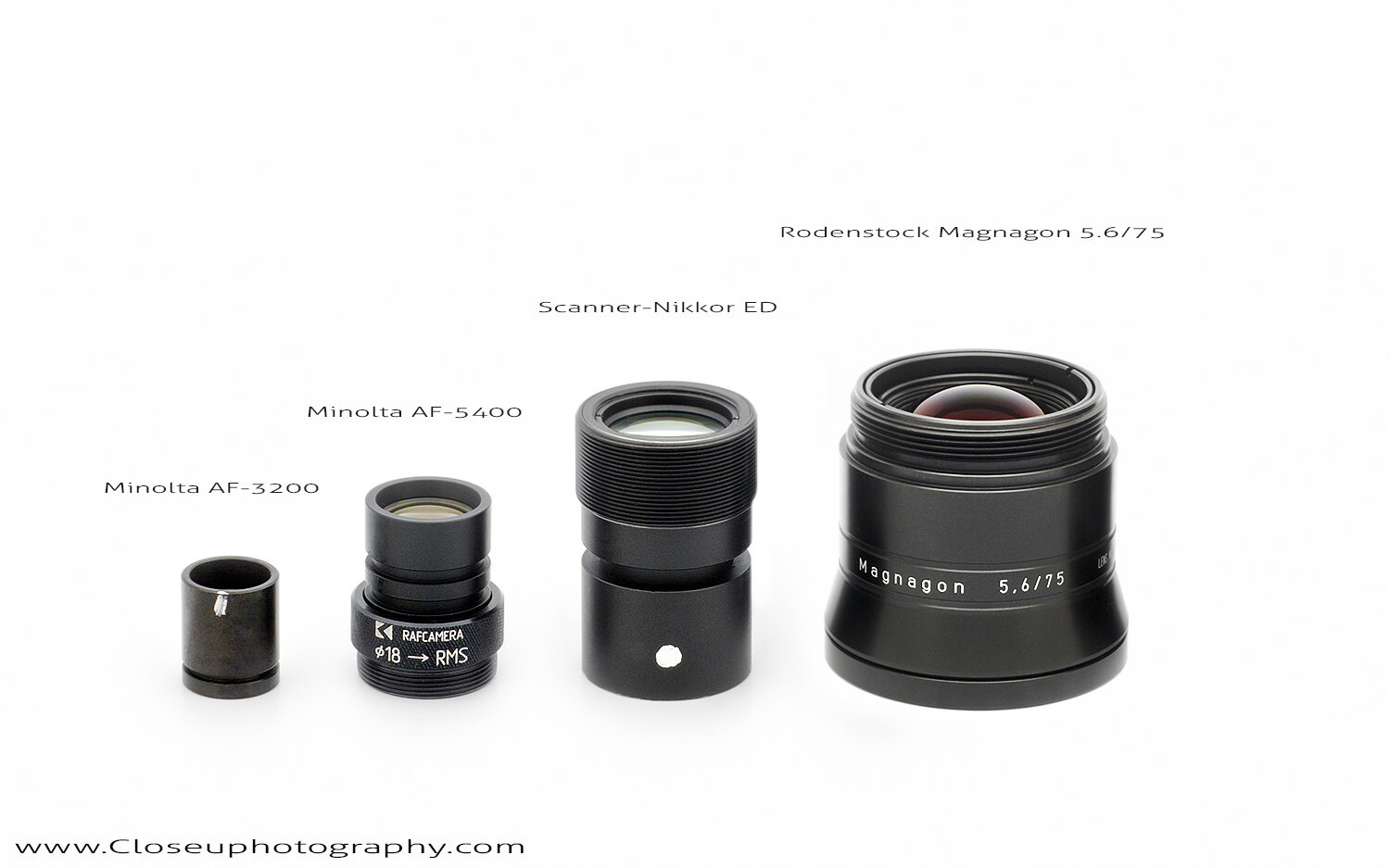
Left to right; Minolta AF3200 lens, Minolta AF5400 lens, Scanner-Nikkor ED 7E lens and the Rodenstock Magnagon 5.6/75 from a Fuji Lanovia scanner.
Each of the scanner lenses in this test were purchased on the used market for at or less than $50 USD. The AF5400 prices have risen quite a bit since I purchased this lens in 2018 so it is now out of that price range by a factor of 10x, some markets almost 20x. The Magnagon lens in this test was also purchased for $50 and came with a bonus, a Fuji Lanovia C550 high-end flatbed scanner!
All of the lenses in this test, except for the AF3200 lens, were removed from high-end scanners but the DiMAGE Scan Dual IV AF3200 was sold originally as an entry level film scanner.
The Scanner-Nikkor lens tested here is the 45mm 7 element version. This lens was used in the Coolscan IV ED LS-40, Coolscan V ED LS-50, Super Coolscan 4000 ED LS-4000ED, and Super Coolscan 5000 ED LS-5000ED. See the link at the bottom for more information on this lens.
1.4X TEST SET-UP
Camera: Sony α6300, model # ILCE-6300, also known as: A6300
Sensor size: APS-C. 23.5 × 15.6 mm. 28.21 mm diagonal. 3.92 micron sensor pitch
Flash: Godox TT350s wireless flash x 2 with one Godox X1s 2.4G wireless flash transmitter
Vertical stand: Nikon MM-11 with a Nikon focus block
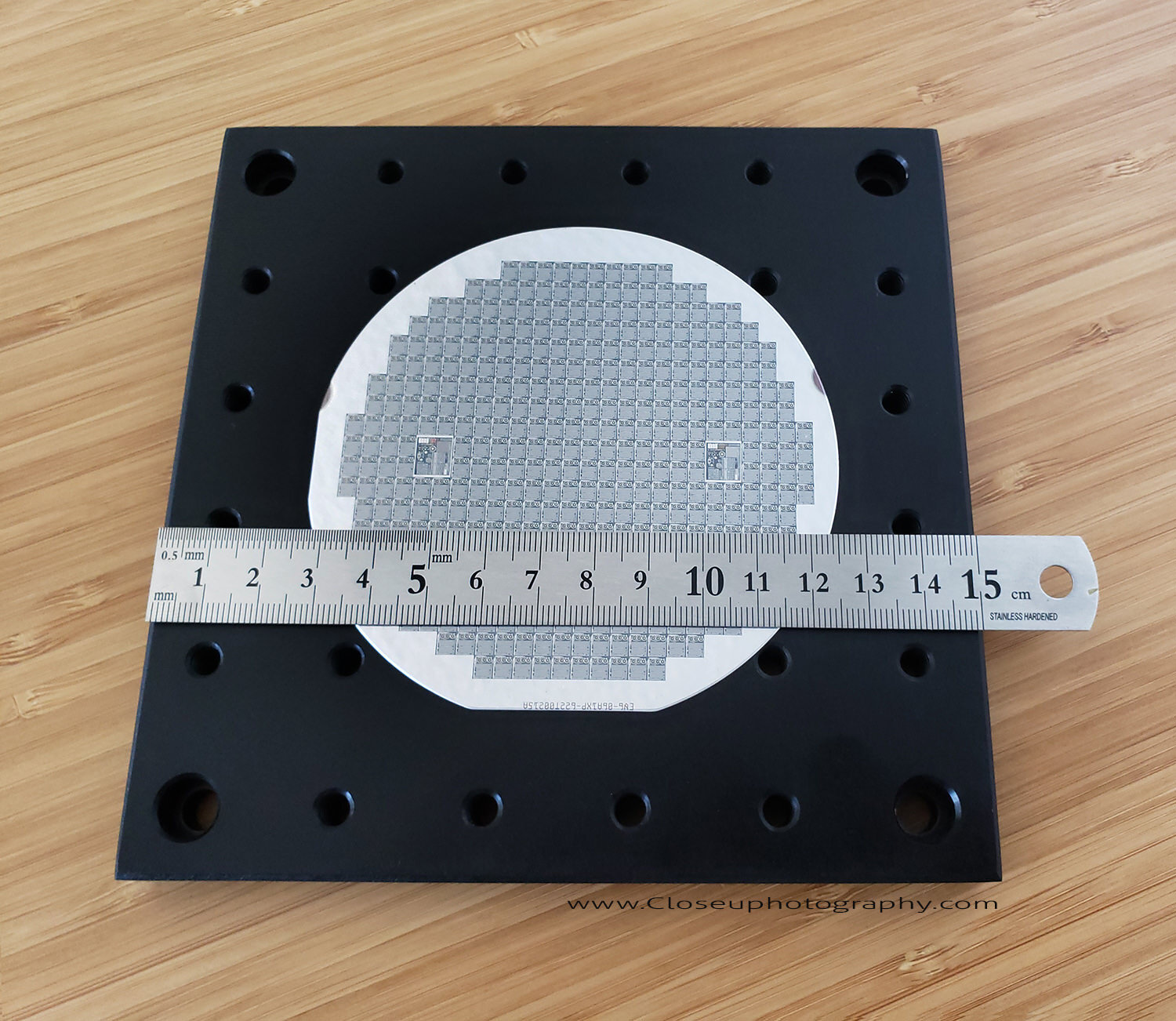
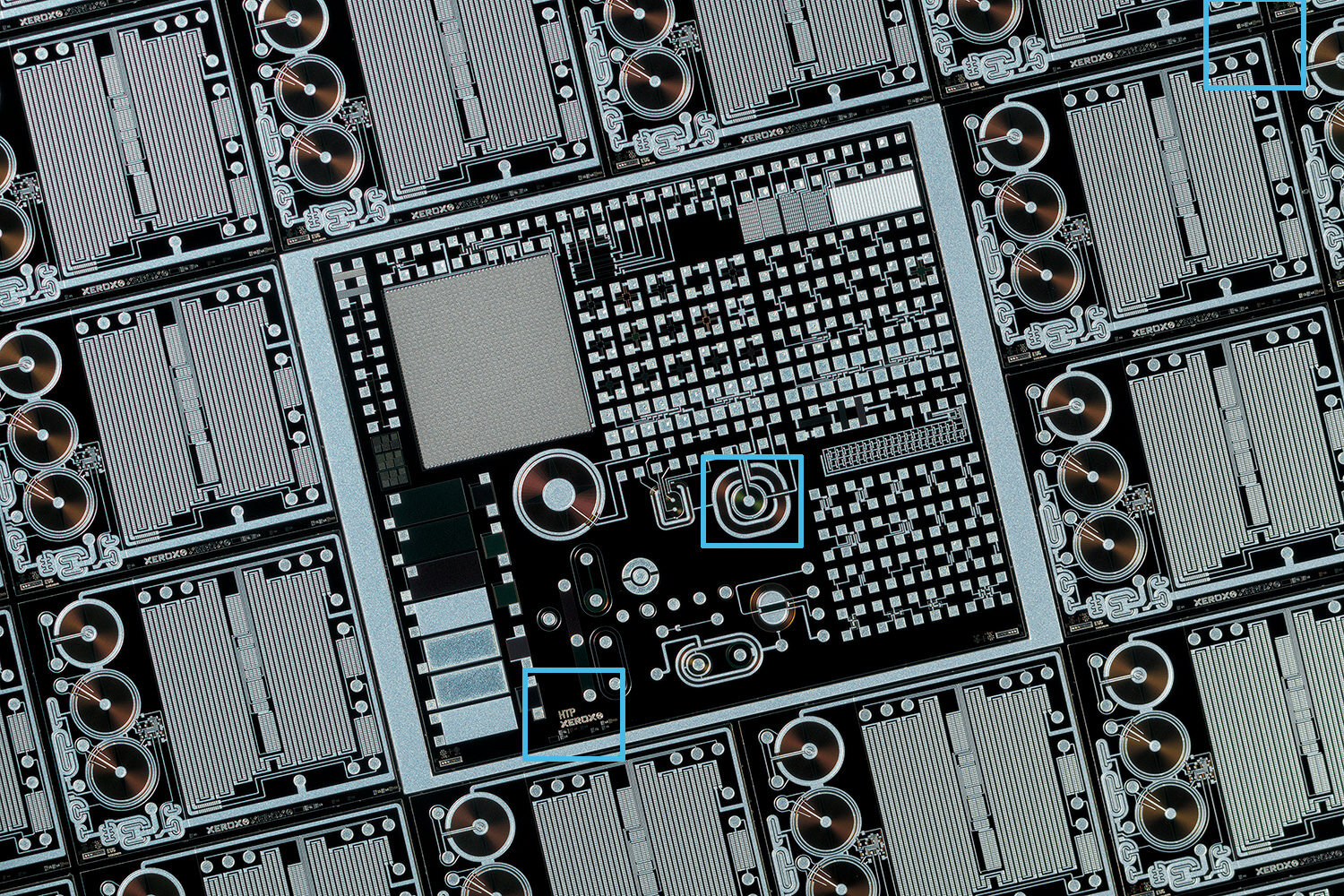
For this test a stack of images was made with 5µ (5 micron) steps and the sharpest frame was then chosen using Photoshop at 100% actual pixel view. Separate images were selected for each crop area. Each image was processed in PS CC with identical settings with all noise reduction and lens correction turned off, all settings were zeroed out (true zero) and the same settings were used for all of the images. All of the images shown here are single files.
Test Setup Notes
All of these lenses were checked forwards and in reverse for best results at 1.4x. The direction doesn’t seem to have any effect on sharpness with the AF3200. The AF5400 lens was used groove forward. The Scanner-Nikkor ED was best with the dot towards the sensor. The Magnagon lens was best mounted normally.
Click on any of the images below to open a new larger window, you can also press the right button, or two finger press, and open in a new tab or choose ‘save as’ to view the images in another app of your choice.
Minolta AF3200 vs Rodenstock Magnagon 5.6/75
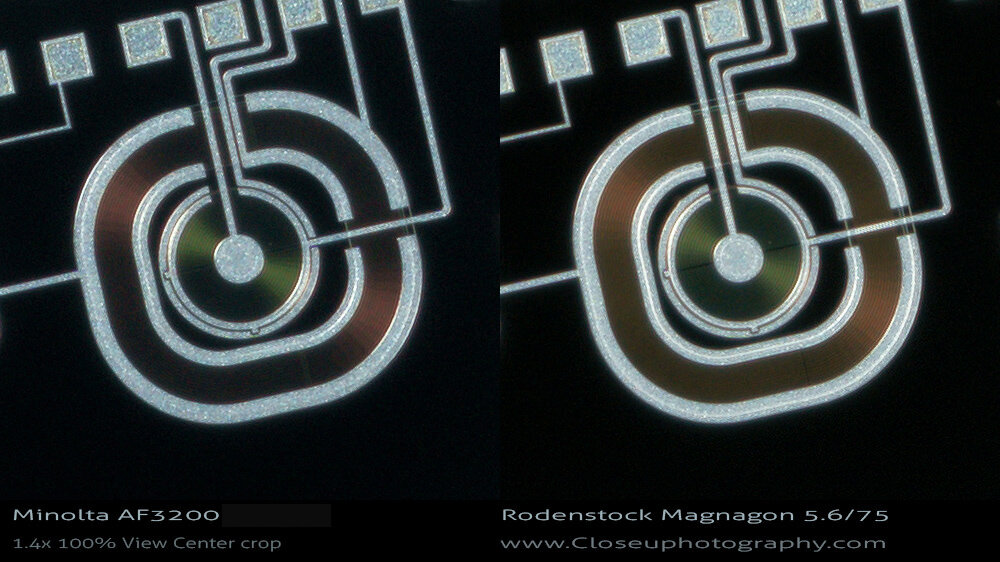
The copper colored areas have fine lines if you look really closely. The results here are very close, closer. The Magnagon aperture measures out at f/6. Remember the Magnagon 5.6/75 is used in high-end scanners like the Fuji Lanovia C550 and the Hasselblad Flextight X5 and is one of best flatbed scanner lenses and has a much larger image circle than the Minolta.
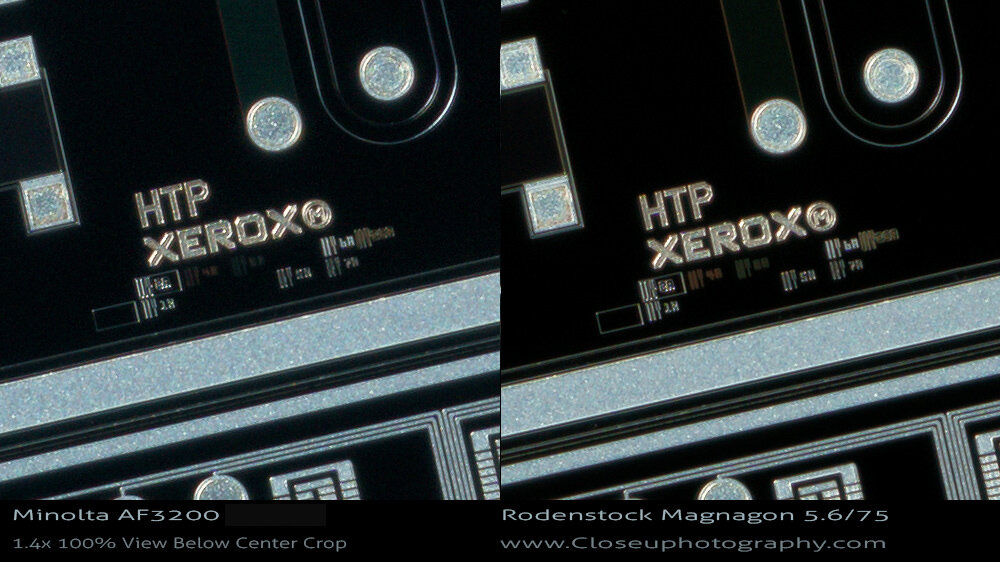
The micro-lettering sharpness and details are almost identical here. The lateral chromatic aberration suppression is also impressive with both lenses, the Magnagon uses low-dispersion glass and is very good in this regard, so the performance of the Minolta AF3200 is great also.
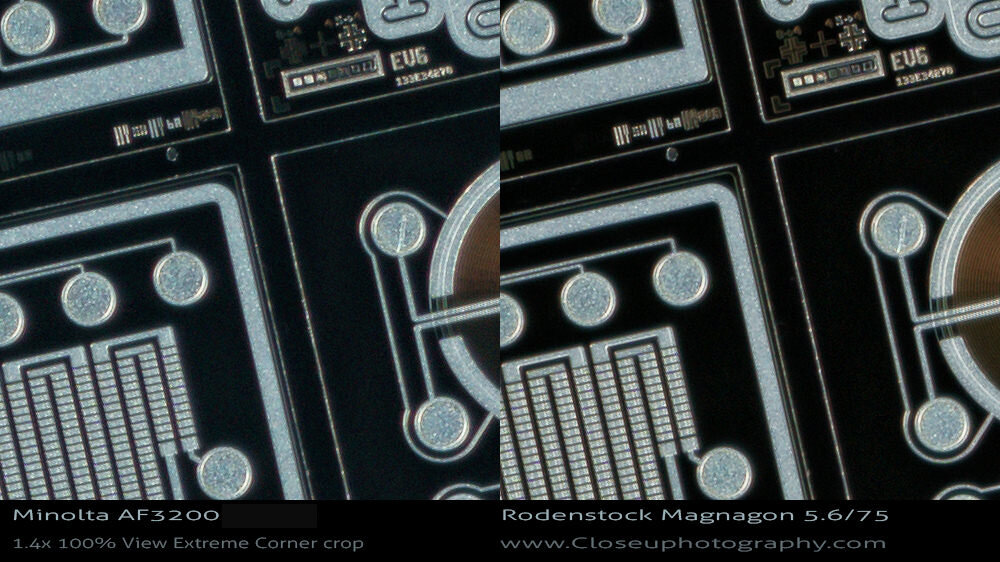
In the far corner crop the lenses are close once again. Both of these lenses would easily exceed the sharpness and CA correction of an enlarger type lens.
Canon MP-E 65mm vs Durst Neonon 5.6/80 vs Minolta AF3200
Note that all three lenses have identical sharpening processing and noise reduction (all NR on zero).
Click on any of the images below to open a new larger window, you can also press the right button, or two finger press, and open in a new tab or choose ‘save as’ to view the images in another app of your choice.
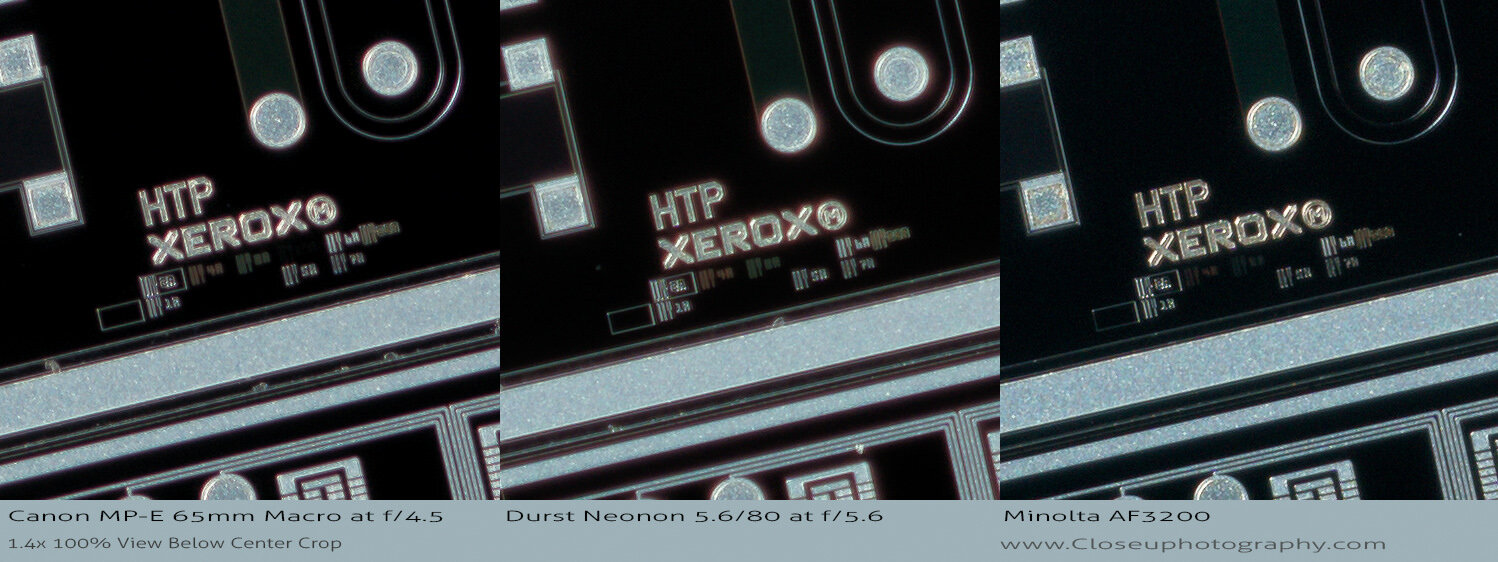
The AF3200 sharpness lens looks pretty good next to the Canon MP-E. The AF3200 lens easily looks sharpest out of the three lenses here.
Lateral chromatic aberrations at 100% view
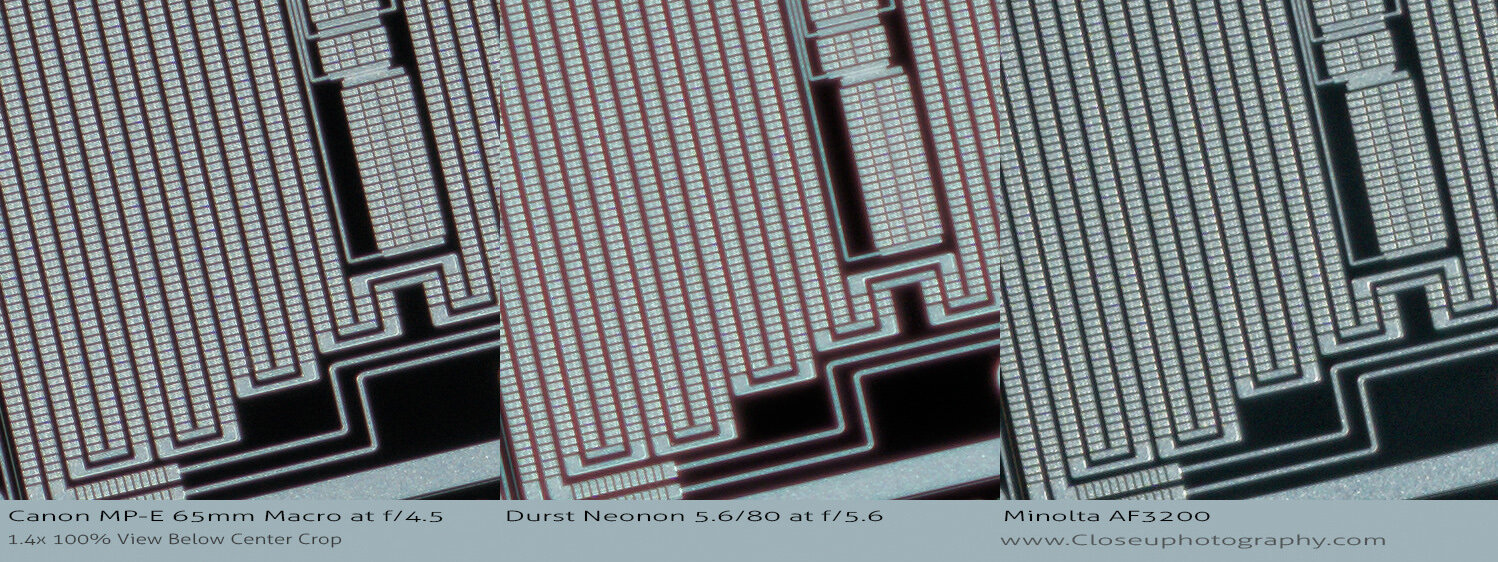
The Minolta AF3200 is showing zero CAs where the MP-E at f/4.5 is showing very mild CAs (look at the blacks between the lines). The AF3200 has excellent chromatic aberration control.
Minolta AF3200 vs Minolta AF5400 vs Scanner-Nikkor ED 7E
Note that all three lenses have identical sharpening and noise reduction (all NR on zero).
Click on any of the images below to open a new larger window, you can also press the right button, or two finger press, and open in a new tab or choose ‘save as’ to view the images in another app of your choice.
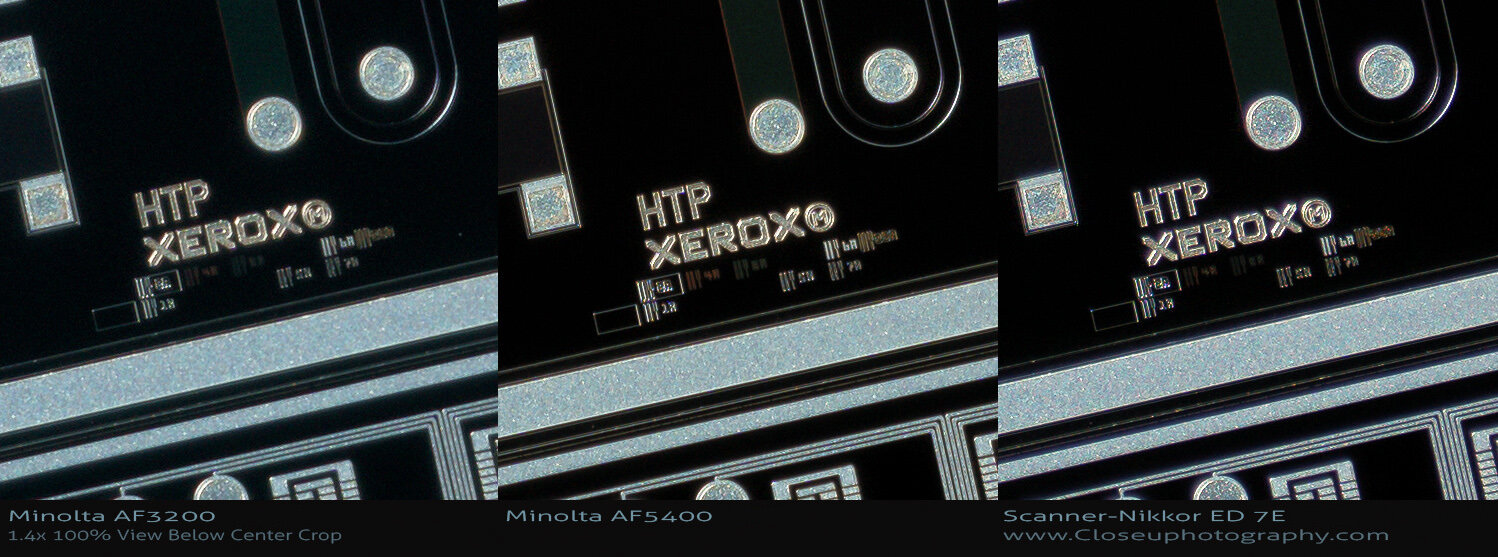
Sharp, sharper, and sharpest. This outcome is predictable by looking at the speed of the lenses. All very well controlled for CAs. Effective aperture; f/13.9 for the AF3200, f/9.6 with the AF5400, and f/7.2 for the Scanner-Nikkor ED 7E lens.
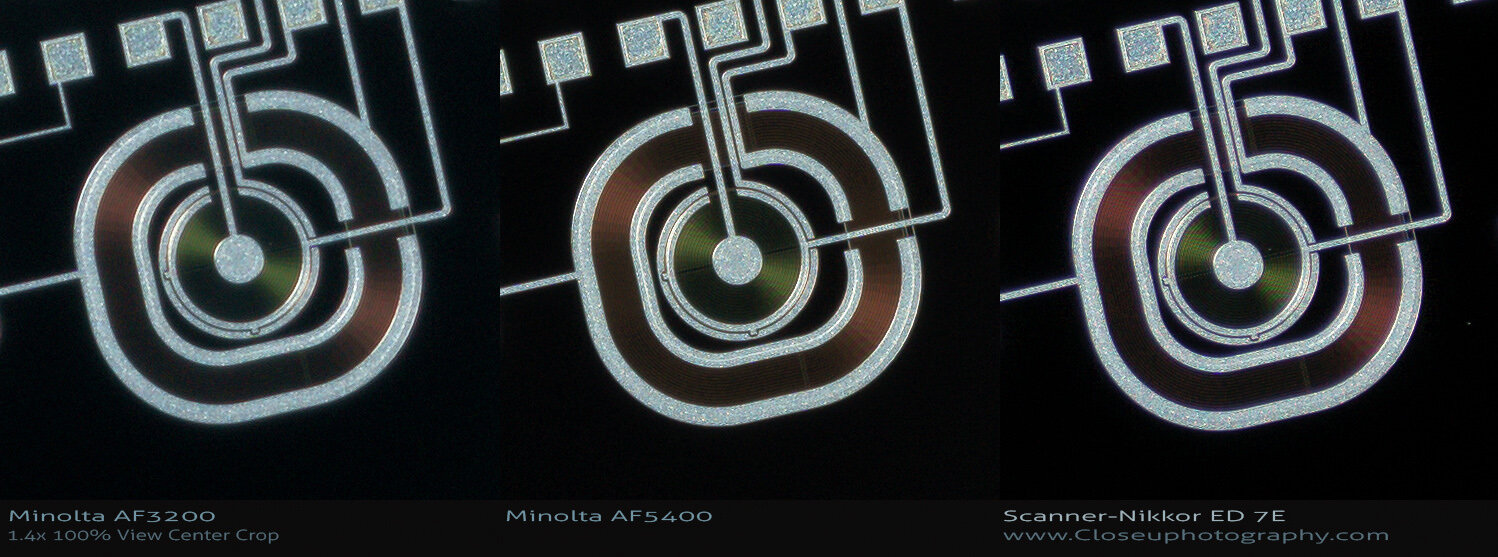
Center area.
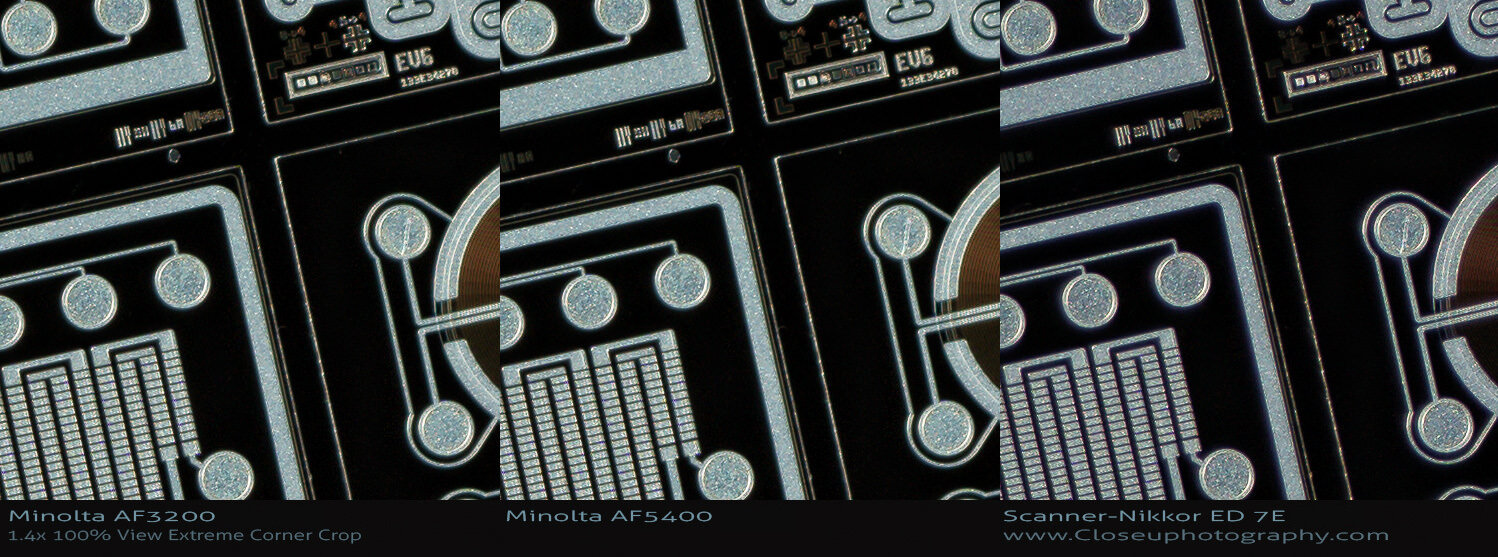
No surprise here, the Minolta AF5400 and Scanner-Nikkor ED lenses are 1-2+ stops faster and it shows in with higher sharpness levels. The Scanner-Nikkor ED lens looks almost too sharp. Chromatic aberration control for all three is just excellent.
Final results
The Minolta AF3200 scanner lens is recommended considering the price. It’s cheap, is very well corrected for CAs and it has decent sharpness considering the conservative aperture. Unfortunately the days of the DiMAGE Elite 5400 scanners costing less than $50 USD are over but you can pick up a Scan Dual IV AF-3200 for less than $50 in 2020.
Keep in mind it is still possible to pick up a Scanner-Nikkor ED lens for a low price also, they are really undervalued and almost impossible to beat for price vs performance ratio.
3200 DPI vs 2820 DPI
There are a few different Minolta film scanners for sale on the used market. I just happen to have three different Minolta lenses. The lens barrels look very similar, but the AF3200 front elements are set back 1 mm. Two of these are listed at 2820 DPI, the third, the AF3200 is listed at 3200 DPI.
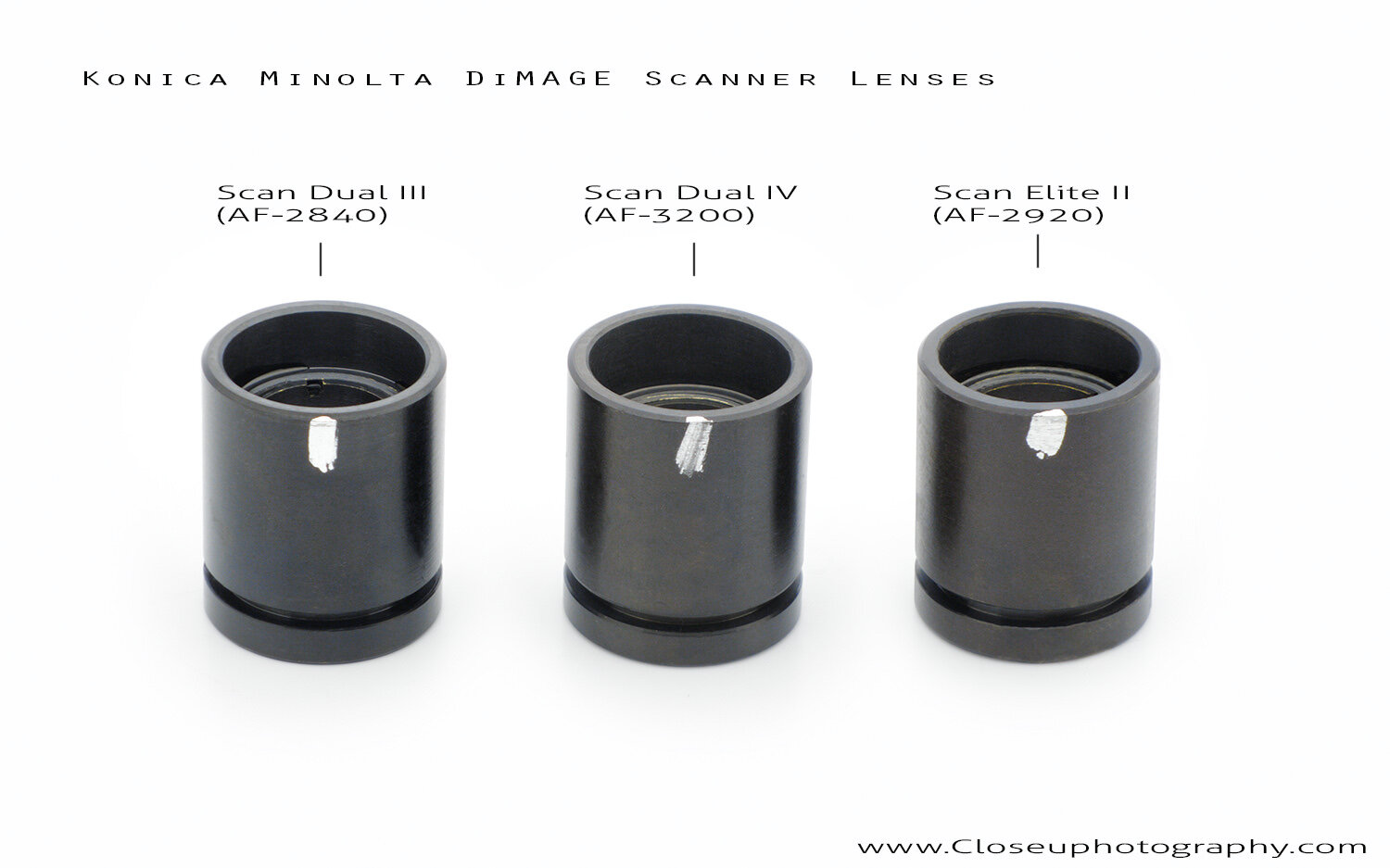
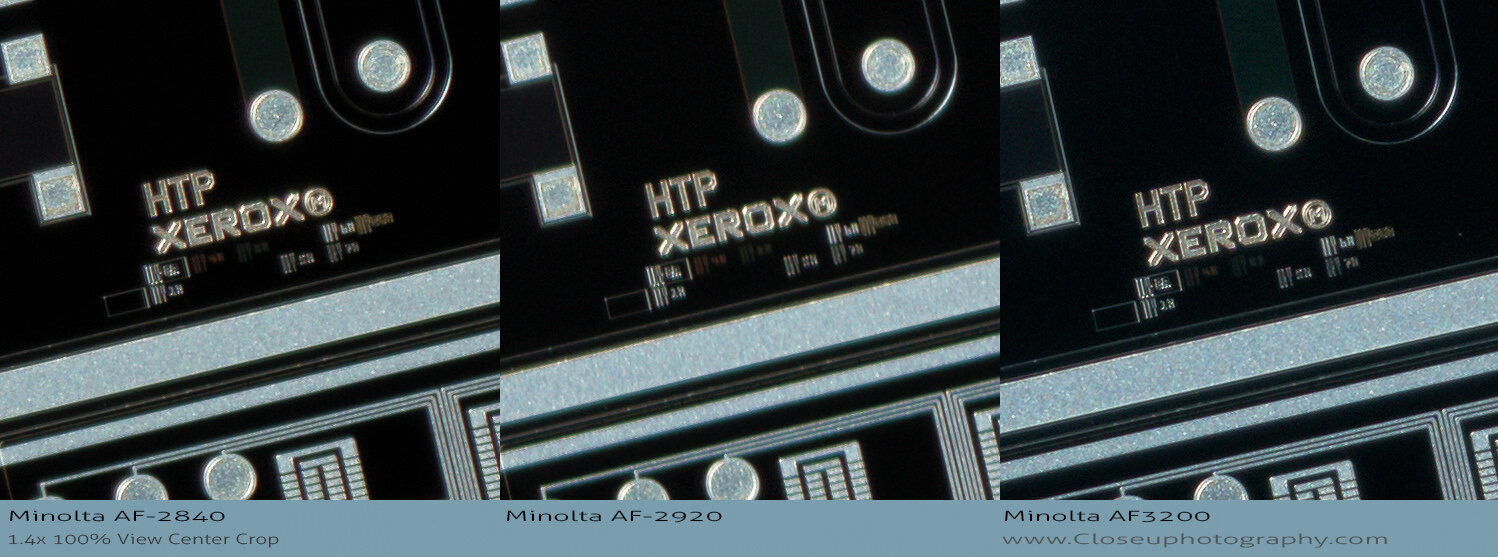
The AF3200 did produce a sharper and more detailed file, at least out of the 3 copies. I didn’t expect this result exactly but its nice to that the specs do seem to be correct. It’s impossible to say for sure that the AF-3200 is a better lens without a doubt since I only tested one copy of each of these lenses. These lenses were tested in normal and reverse and there did not seem to be any difference in performance in the different mounting positions. With the AF5400 and Scanner-Nikkor ED lenses the mounting direction is very important.
Imortant links:
Scan Dual IV AF-3200 Lens salvage